If you have lost your electricity bill, did not receive the paper copy, or simply want to check your latest electricity charges before the due date, you can get a MEPCO duplicate bill online in just a few minutes.
MEPCO consumers can check their latest bill using the reference number printed on a previous electricity bill. Once the bill is displayed, you can review the billing month, due date, units consumed, payable amount, taxes, meter information and other charges. You can also print the bill or save a digital copy for your records.
This guide explains how to check your MEPCO Duplicate Bill Online, where to find your reference number, how to download or print the bill, and what to do if your bill does not appear online.
What Is a MEPCO Duplicate Bill?
A MEPCO Duplicate Bill Online is an online or printed copy of your electricity bill that you can obtain when you do not have the original paper bill.
For example, you may need a duplicate bill if:
- Your monthly bill was not delivered.
- You misplaced your paper bill.
- Your bill was damaged.
- You want to check your bill before it arrives.
- You need a copy for your records.
- You want to print the bill before making a payment.
The duplicate bill contains the important information shown on your electricity bill, including the reference number, billing period, meter readings, units consumed, due date, payable amount and applicable charges.
For official billing information, consumers should verify the displayed bill through the relevant PITC/MEPCO billing system.
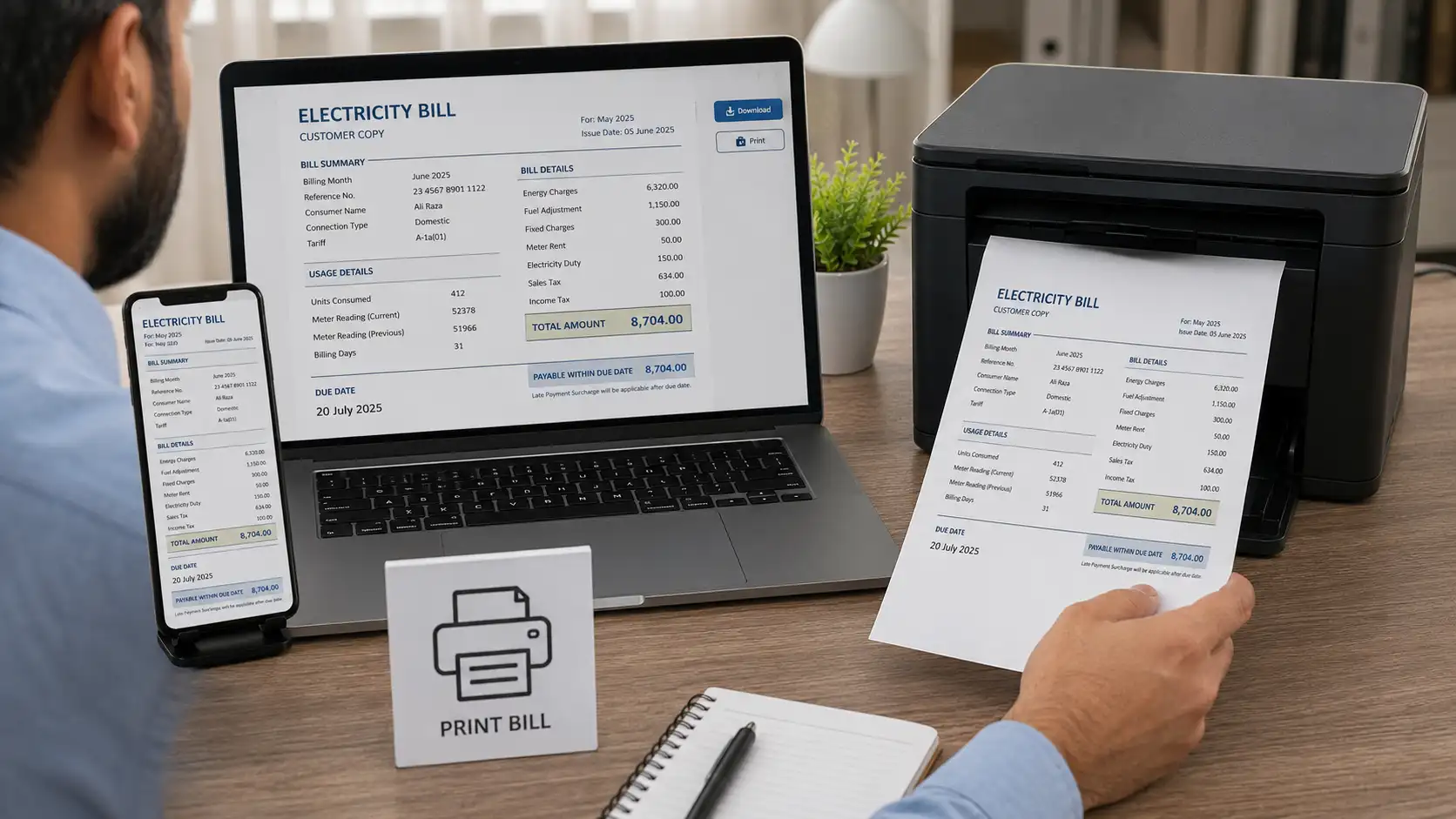
How to Check Your MEPCO Duplicate Bill Online
Checking your MEPCO duplicate bill online is straightforward. You normally need the reference number from an earlier MEPCO bill.
Step 1: Find Your MEPCO Reference Number
Take an old MEPCO electricity bill and look near the top section for your Reference No.
The reference number is generally the key information required to identify your electricity connection when checking the bill online.
If you do not have an old bill, check any saved PDF, photograph or previous bill copy you may have kept on your phone or computer.
Step 2: Enter the Reference Number
Open the MEPCO bill checking facility and enter your reference number carefully.
Make sure the digits are correct. A single incorrect digit can prevent the system from finding your bill.
Step 3: Check Your Current Bill
After submitting the number, your available bill information should be displayed.
Take a moment to check:
- Consumer information
- Billing month
- Meter reading
- Units consumed
- Current bill amount
- Previous balance or arrears
- Due date
- Taxes and other charges
- Amount payable after the due date
Step 4: Download or Print the Duplicate Bill
If you need a physical copy, use your browser’s Print option.
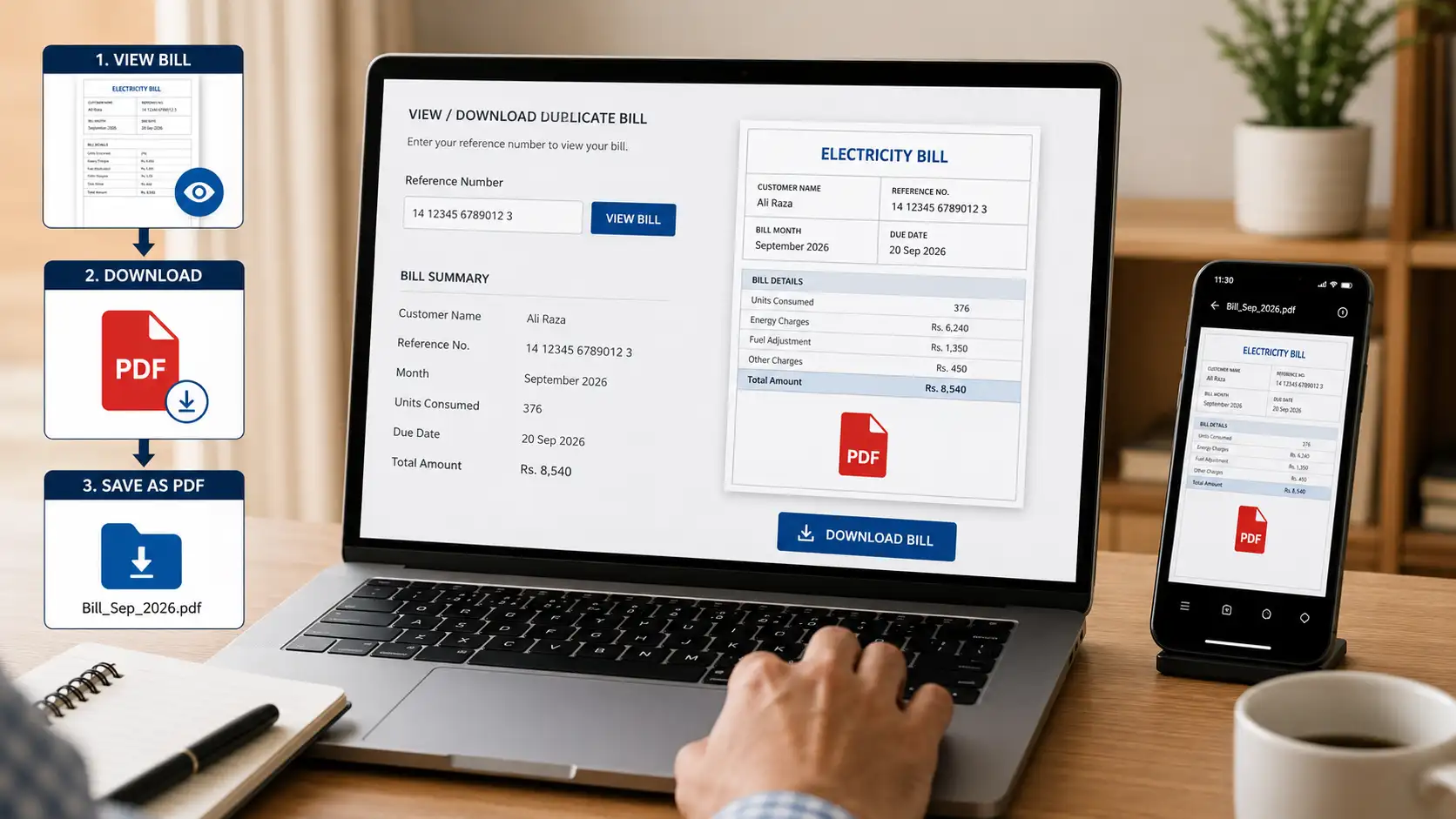
You can also choose Save as PDF if you want to keep a digital copy on your mobile phone or computer.
This makes it much easier to keep your bill available for future reference.
Where Can I Find My MEPCO Reference Number?
Your MEPCO reference number can normally be found on a previous electricity bill in the consumer/billing information section.
Do not confuse the reference number with your:
- Meter number
- Consumer name
- CNIC number
- Account information
- Previous bill amount
If you have an old bill available, use the number exactly as printed.
The reference number is especially useful because you can keep it saved on your phone and use it whenever you want to perform a MEPCO online bill check.
MEPCO Duplicate Bill Download as PDF
Many consumers prefer to save their electricity bill digitally instead of keeping paper copies.
Once your bill is displayed, you can usually use your browser’s print function to save it as a PDF.
On a Computer
- Open your MEPCO bill.
- Press Ctrl + P on Windows or use the browser’s Print option.
- Select Save as PDF.
- Choose a folder.
- Save the file.
On a Mobile Phone
The exact options depend on your browser and phone.
Generally:
- Open the bill.
- Tap the browser menu or share button.
- Select Print if available.
- Choose Save as PDF.
- Save the file to your device.
Keeping a PDF copy can be useful if you regularly need your MEPCO bill online for payment, record keeping or checking previous information.
How to Print a MEPCO Duplicate Bill
If you prefer a paper copy, you do not necessarily need to wait for the physical bill to arrive.
After opening the duplicate bill, select the browser’s print option and choose your connected printer.
Before printing, check that the following information is visible:
- Reference number
- Consumer information
- Billing month
- Due date
- Total payable amount
- Meter reading
- Units consumed
If you do not have a printer at home, you can save the bill as a PDF and take the file to a nearby printing shop.
What Information Is Shown on a MEPCO Bill?
Your MEPCO electricity bill contains several sections that help you understand how the final amount was calculated.
1. Consumer Information
This section identifies the electricity connection and consumer details.
2. Meter Information
Your bill may show meter-related information and readings used for calculating consumption.
3. Billing Period
The billing month or period tells you which consumption cycle the bill represents.
4. Units Consumed
This is one of the most important figures on your electricity bill. It indicates how much electricity was consumed during the billing period.
5. Electricity Charges
The bill includes charges calculated according to the applicable tariff and consumption.
6. Taxes and Other Charges
Depending on the connection and applicable rules, your bill can include taxes, duties, surcharges and other applicable charges.
7. Due Date
Always check the due date before making your payment.
Checking these details through an online MEPCO bill check can help you identify unusual changes before paying.
MEPCO Bill Check by Reference Number
The reference number is one of the most commonly used ways to locate a MEPCO electricity bill online.
If you regularly check your electricity bill, save your reference number somewhere secure. You can keep it in your phone’s notes or another private place so you do not have to search for an old paper bill every month.
When entering the number, avoid adding unnecessary spaces or characters and double-check every digit.
If the bill is not found, recheck the number before assuming there is a problem with the billing system.
What If My MEPCO Bill Is Not Showing Online?
Sometimes consumers enter their information but the bill does not appear.
There can be several reasons.
Check the Reference Number
The first thing to do is verify that you entered the correct reference number.
Compare it with an older bill and make sure no digit was missed.
Try Again Later
Billing information may not always appear immediately if the latest billing record has not yet been updated in the system.
Check Your Internet Connection
A slow or unstable internet connection can prevent a bill page from loading correctly.
Use the Official Billing Source
If an independent bill-checking page is not working, verify your bill through the official PITC/MEPCO billing route.
Do not provide sensitive information such as passwords, card PINs or banking credentials to an unknown website simply to check an electricity bill.
Can I Check My MEPCO Bill Without the Paper Bill?
Yes, if you already know the reference number associated with your electricity connection.
The main challenge is finding the number if you have completely lost your previous bills.
Before throwing away an electricity bill, consider keeping a digital photograph or PDF copy. This can save you time when you need to perform a MEPCO Duplicate Bill Online later.
Why Should You Check Your MEPCO Bill Online?
Online bill checking is useful for several reasons.
Avoid Missing the Due Date
If your paper bill is delayed, you can check the available billing information online instead of waiting for delivery.
Check the Amount Before Payment
You can see the current payable amount and prepare your payment accordingly.
Keep a Digital Record
Saving the bill as a PDF provides an easy backup.
Reduce Dependence on Paper Bills
You do not need to keep every physical bill if you maintain organized digital copies.
Check From Your Mobile
A smartphone with an internet connection is usually enough to access online bill information.
For consumers searching for MEPCO online bill check, MEPCO bill check online, or MEPCO duplicate bill online, the process is designed to be much more convenient than visiting an office simply to obtain a copy of a bill.
MEPCO Bill Online for Consumers in South Punjab
Multan Electric Power Company (MEPCO) gives electricity services to people living in a part of South Punjab.
People who are looking online for terms like MEPCO bill Multan, MEPCO bill Bahawalpur, MEPCO bill Dera Ghazi Khan, MEPCO bill Sahiwal, MEPCO bill Vehari, MEPCO bill Muzaffargarh could be trying to find the basic service, for checking their electricity bill online.
In every city make sure to use the details that are linked to your own electricity connection.
MEPCO Duplicate Bill vs Original Bill
When you don’t have the original paper copy, a duplicate bill is a copy of the billing information.
It’s important to just make sure the information on the bill is the same as your electricity service and the billing period.
Before making a payment, be sure to review the amount to be paid and the payment due date.
Contact the relevant MEPCO/PITC customer support channel in the event of any dispute with the meter reading, billing amount, connection information or payment information/position and not depend on an independent information website.
Tips for Managing Your MEPCO Electricity Bill
A few simple habits can make monthly bill management easier.
Save your reference number: Keep it somewhere secure so you can perform an online bill check quickly.
Keep previous bills: Save important bills as PDFs or photographs.
Check the due date: Do not wait until the last day to review your bill.
Review your units: Compare your current consumption with previous months.
Check the total amount: Make sure you know the amount you are paying.
Keep payment confirmation: Save your receipt or online payment confirmation after paying.
These small steps can help you avoid unnecessary delays and make your monthly electricity bill routine easier.
Final Thoughts
Getting a MEPCO duplicate bill online is a convenient option when your paper electricity bill is missing, delayed or damaged. With your reference number available, you can check your bill information, review the amount and due date, and save or print a copy for your records.
If you regularly use MEPCO online bill check, it is a good idea to keep your reference number and previous bill safely stored. This means you can quickly access your billing information whenever a new bill is issued.
Most importantly, always verify the bill details and use the appropriate official billing or customer-support channel if you find an error or have a payment dispute.
Frequently Asked Questions
1. How can I check my MEPCO duplicate bill online?
You can check your MEPCO duplicate bill online using the reference number from a previous electricity bill. Enter the required information into the bill-checking service and review the displayed billing details, including the amount and due date.
2. What is required to check a MEPCO duplicate bill?
The most important information is your MEPCO reference number. It can usually be found on a previous electricity bill. Keep the number accurate when entering it online.
3. Can I download my MEPCO duplicate bill as a PDF?
Yes. After your bill is displayed, you can generally use your browser’s Print function and select Save as PDF. The saved file can then be kept on your phone or computer.
4. Can I print my Duplicate Bill Online?
Yes. Once your bill appears online, use the Print option available in your browser or on the bill page. You can print a physical copy or save it as a PDF first.
5. Where can I find my MEPCO reference number?
Your reference number is printed on your previous MEPCO electricity bill, generally in the consumer or billing information section near the top of the bill.
6. What should I do if my MEPCO bill is not showing online?
First, check that the reference number was entered correctly. Make sure your internet connection is working and try again later. If the problem continues, verify the bill through the official PITC/MEPCO billing system or contact MEPCO customer support.
7. Can I check my MEPCO bill online without receiving the paper bill?
Yes. If you already have your reference number from an older bill, you can use it to check available billing information online. This is especially useful when the paper bill has been delayed or misplaced.
8. Is the MEPCO duplicate bill free to check?
Viewing or obtaining an online copy through a bill-checking service may be free, but you should always verify the current terms of the particular service you use. You only need to pay the actual electricity bill amount through an authorized payment method.